

You have probably heard the horror stories about strangers, hidden games, unexpected charges, and kids glued to screens late into the night. As a parent, that anxiety is understandable. You want your child to have fun, but you also want them to be safe. What parents need to know about Roblox often feels confusing because the platform changes fast and headlines focus on the worst cases.
To put things into context, Roblox is not just a game. It is best described as a metaverse. It is a shared digital space where millions of players create, play, chat, and build together. Kids are not only consuming content. They are interacting inside worlds made by other users. That mix of creativity and social interaction is exactly why Roblox is so popular and also why it raises valid concerns.
Still, fear alone does not help families make good decisions. Knowledge does. When parents understand how Roblox actually works, it becomes easier to set boundaries without shutting everything down. More importantly, it opens the door to healthier conversations with your child.
In this guide, we will cover the new safety features, the hidden dangers of condos, and how to turn a gaming obsession into a coding skill. You will learn where the real risks are and where the benefits often get overlooked. The goal is not to scare you. It is to equip you with clear practical tools so Roblox becomes something you manage with confidence rather than worry.
Quick Summary: Is Roblox Safe?
Roblox is generally safe if correctly managed, but it acts more like a web browser than a standard video game. Because content is user-generated, risks range from inappropriate “condo games” to gambling mechanics.
Top 4 Takeaways for Parents:
- It’s a Platform, Not a Game: Treat it like YouTube. Content varies wildly from innocent math games to horror themes.
- Chat is the #1 Risk: Most grooming and bullying happens in text/voice chat. For kids under 13, set chat to “Friends Only” or disable it entirely.
- Use “Linked Accounts”: You can link your email to your child’s account to manage privacy settings and screen time from your phone.
- There is No “Free Robux”: Any website or player offering free currency is running a scam to steal passwords.
Understanding the Platform
1. What is Roblox? Understanding the Metaverse Platform
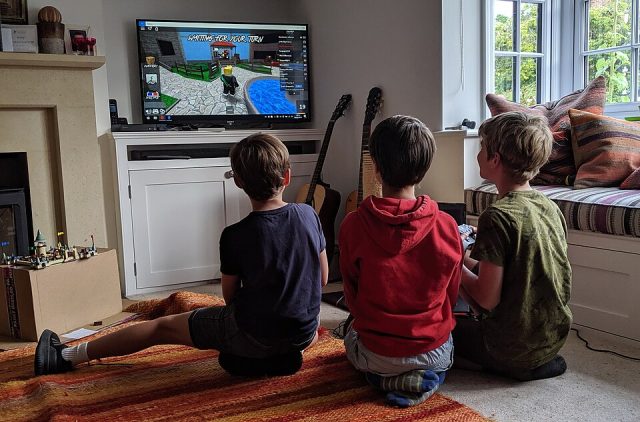
Roblox is not a single game. It is a massive online platform where millions of games exist in one place. These games are created by users, many of whom are teenagers or young adults. Your child is not just playing. They are exploring worlds made by other players.
Roblox combines gaming, social interaction, and creativity. Kids can play, chat, build, and even learn basic coding. What parents need to know about Roblox is that it functions more like a digital playground than a traditional video game.
The platform is free to join. However, it includes in game purchases. This matters for household rules. Roblox also encourages creativity, which is a positive when guided properly.
2. The Streamer Effect: How YouTube & TikTok Influence Gameplay
Many children discover Roblox through YouTube and TikTok. Popular creators showcase exciting games, challenges, and rewards. This heavily shapes what kids want to play and buy.
Streamers often use advanced items or paid upgrades. Kids may assume this is normal gameplay. As parents, it helps to explain that videos are entertainment, not real life expectations.
What parents need to know about Roblox is that social pressure does not only come from friends. It also comes from influencers your child watches daily.
The Major Dangers (Safety First)
3. Hidden Dangers: Recognizing Inappropriate “Condo” Games
First, it is important to understand that not all Roblox games appear in public search results. Some inappropriate experiences known as condo games are hidden or shared privately. These games often bypass moderation by using misleading titles or private servers.
As a parent, this can feel alarming. However, awareness is power. What parents need to know about Roblox is that these games are not the norm, but they do exist. Therefore, staying informed helps you act early rather than react late.
Moreover, kids may stumble upon these games through friends or external links. That is why conversations matter as much as settings. Explain clearly what content is not acceptable and why.
If you see your child playing a game with a blank thumbnail, a vague name, but a surprisingly high number of active players, investigate immediately.
How to Block Condo Games on Roblox
Fortunately, there are steps you can take. First, enable account restrictions in the parental controls. This limits access to unreviewed content. Next, turn on monthly activity reports so you can see which games your child plays.
In addition, set the account age correctly. This affects what content is visible. You can also disable private servers for younger children. Finally, encourage your child to tell you if something feels uncomfortable. Trust builds safety.
4. Is Roblox Safe? Chat Filters, Grooming, and Voice Chat
Now let us address the biggest concern for many parents. Communication. Roblox uses chat filters designed to block inappropriate language. These filters work well for younger users, but no system is perfect.
Because of this, grooming risks exist on any social platform. Roblox is no exception. What parents need to know about Roblox is that safety improves greatly when parents stay involved and approachable.
Furthermore, Roblox now includes voice chat for eligible users. This adds a new layer of concern and responsibility.
Is Roblox Voice Chat Safe For 13 Year Olds?
Voice chat is only available to users who verify their age. In theory, this adds protection. In practice, kids may still hear language or behavior that feels uncomfortable.
Therefore, voice chat should be discussed before it is enabled. Some families choose to disable it entirely. Others allow it with clear rules. For example, only using voice chat with known friends. Balance is key. Safety does not mean fear. It means preparation.
How to See Archived or Hidden Messages on Roblox Child’s Account
Unlike some messaging apps, Roblox does not allow kids to permanently delete individual direct messages at will. Instead, the standard option is to Archive the chat, which hides it from the main view but preserves the conversation history. Blocking a user can also hide the thread.
Even better, if your child “hides” a conversation, it is likely in their Archive, which parents can access if they know where to look. Therefore, reviewing privacy settings and teaching kids to share concerns openly is more effective than assuming messages vanish. Open communication remains the strongest safety tool.
The Money Traps
5. The “Free Robux” Scam: How to Spot and Avoid Fraud
There is currently no legitimate way to get free Robux using a generator or website. These offers are scams designed to steal your child’s password or personal data. Teach children that if a website, game, or stranger offers free currency, they are trying to hack their account.
Many kids dream of getting Robux without spending real money. Because of this, scammers know exactly what to target. So called free Robux offers appear in games, chats, videos, and external websites.
Often, these scams promise instant rewards. However, they usually ask for log in details or require completing endless tasks. As a result, accounts get hacked or permanently banned. What parents need to know about Roblox is that there is no legitimate way to generate free Robux outside the platform with one key exception:
Microsoft Rewards offers a safe and official method. Kids can earn Robux gift cards for free by using the Bing search engine and participating in the Microsoft Rewards program. This is a legitimate partnership recognized by Roblox, so it is safe to use.
Moreover, many scams look convincing. They use familiar logos and popular creators names. Therefore, teaching kids about the free robux scam generator warning signs is essential. For example, any site asking for a password is a scam. Likewise, offers that rush users with limited time pressure should be avoided.
Additionally, scammers often ask kids to keep secrets. This is a major red flag. Consequently, parents should encourage kids to talk openly before clicking anything. In the end, awareness is the strongest defense.
6. The Real Cost of Robux: Spending, Gambling, & Loot Boxes
At first glance, Robux spending feels harmless. Items are cheap and purchases are quick. However, small amounts add up faster than most kids realize. As a result, monthly spending can quietly exceed expectations.
Furthermore, some Roblox games include mechanics similar to gambling. For instance, loot boxes and random rewards create excitement through chance. Therefore, kids may spend repeatedly chasing rare items. What parents need to know about Roblox is that this behavior mirrors real world gambling patterns.
In addition, limited time offers increase pressure. Because items may disappear, kids feel rushed to buy. Consequently, they may spend without thinking. Setting clear budgets helps reduce impulse decisions.
Finally, discussing value matters. Talk about how Robux equals real money. Likewise, explain that fun does not require constant spending. When kids understand the system, they make smarter choices.
Your Parental Toolkit (The Solutions)
7. Roblox Parental Controls: How to Link Accounts
To enable remote safety features, use Roblox’s new Linked Accounts system. Go to Settings > Parental Controls on your child’s device and add your email address. Once verified, you can manage privacy settings, chat filters, and screen time limits directly from your own phone without needing your child’s login credentials.
Roblox parental controls have improved significantly. However, many parents are unaware of how powerful they are when used correctly. Linking your account to your childs account is the foundation of effective supervision.
As a result, you gain visibility into spending, privacy settings, and activity reports. More importantly, you can make changes remotely.
In addition, linked accounts allow reminders instead of confrontations. Therefore, rules feel structured rather than personal. What parents need to know about Roblox is that tools work best when set up early and reviewed often.
8. Roblox Age Ratings & Content Maturity Labels Explained
Next, let us look at content ratings. Roblox now uses experience guidelines and maturity labels to help families choose appropriate games. These labels cover themes like violence, fear, and social interaction.
However, ratings are not exact science. Because of this, parents should treat them as guidance, not guarantees. That said, understanding Roblox content maturity settings makes filtering much easier.
Furthermore, you can restrict your child to experiences rated for specific age groups. Consequently, risky content becomes harder to access. Still, regular check-ins remain essential. Technology supports parenting, but it does not replace it.
9. Roblox Addiction: Managing Screen Time & Daily Streaks
Finally, screen time deserves attention. Roblox is designed to encourage return visits. Daily rewards and streaks make kids feel they will miss out if they stop playing.
Therefore, balance must be intentional. Setting expectations early helps prevent power struggles later. What parents need to know about Roblox is that limits protect enjoyment rather than remove it.
Roblox Daily Screen Time Limit Not Working?
Sometimes, parents notice that screen time limits do not apply as expected. This usually happens because limits are set on the device but not inside Roblox itself.
To fix this, first check your device level parental controls. Then, review Roblox account restrictions and daily play settings. Additionally, make sure your child is not switching devices or accounts.
Most importantly, combine tools with conversation. Explain why breaks matter. When kids understand the reason, cooperation improves and resistance fades.
The Silver Lining
10. Benefits of Roblox: Coding, STEM, and Game Design
After all the concerns, it is important to pause and look at the upside. Roblox is not only about play. It can also be a powerful learning tool when guided properly. Many kids move from playing games to wondering how those games are made.
Because of this, Roblox becomes an introduction to coding and digital logic. Using Roblox Studio, children experiment with scripting, problem solving, and design thinking. Therefore, they begin learning STEM concepts without even realizing it. What parents need to know about Roblox is that curiosity often leads to creativity.
On top of that, game design teaches patience. Kids learn that building takes time and effort. They test ideas, fail, and try again. Consequently, resilience grows alongside technical skills.
Best Educational Roblox Games for 7 Year Olds
For younger children, structure matters. Fortunately, there are experiences designed to teach while staying age appropriate. For example, simple obstacle courses help with logic and timing. Building games encourage creativity and spatial thinking.
Also, some games introduce basic economics, teamwork, and goal setting. Therefore, parents should play alongside their child at first. This builds trust and helps you guide choices early.
In the end, Roblox works best when treated as a shared experience. With interest, boundaries, and encouragement, it can be more than entertainment. It can be a starting point for future skills.
Frequently Asked Questions About Roblox Safety
Q1. How do I block condo games on Roblox?
First, enable account restrictions in your childs Roblox settings. This limits access to unreviewed experiences. Next, make sure the account age is accurate, since this controls content visibility.
In addition, review activity reports regularly. This helps you spot unfamiliar games early. Most importantly, talk with your child about what to avoid. When kids understand why certain games are unsafe, they are more likely to stay away on their own.
Q2. Can I get a refund for accidental Robux purchases?
Robux purchases are generally non-refundable. However, there are occasional exceptions. For example, if an unauthorized charge occurs or a technical error happens, Roblox may review the case and issue a refund. This is not guaranteed, so timing matters.
Therefore, it is smart to set spending limits in advance and require a password for purchases. What parents need to know about Roblox is that prevention is much more reliable than refunds. Clear rules and oversight save stress later.
Q3. Can I see deleted messages on my child’s account?
On Roblox, kids generally cannot permanently delete individual direct messages like they might on WhatsApp or iMessage. The standard option is to Archive the chat, which hides it from the main view but preserves the conversation history.
Blocking a user can also hide a thread, but the messages still exist in the Archive. Therefore, if your child “hides” a conversation, it can still be viewed if you know where to look.
Most importantly, keeping an open line of communication is the strongest safety tool. Encourage your child to share concerns instead of relying on hidden messages to detect problems.
The Dekalist Take: Is Roblox Safe?
The short answer: It is as safe as you make it.
Roblox is not inherently “bad,” but it is an open digital playground. Just as you wouldn’t drop your child off at a massive city park without checking the surroundings or setting boundaries, you shouldn’t let them roam the Metaverse unsupervised.
The platform has made massive strides recently with the new Linked Accounts system and Maturity Labels, giving you more control than ever before. But no filter is perfect. The best safety tool isn’t a setting—it’s ongoing conversation. Ask them what they played, who they met, and watch how they play.
If you treat Roblox as a tool for creativity rather than just a babysitter, it can be a powerful launchpad for your child’s digital future.
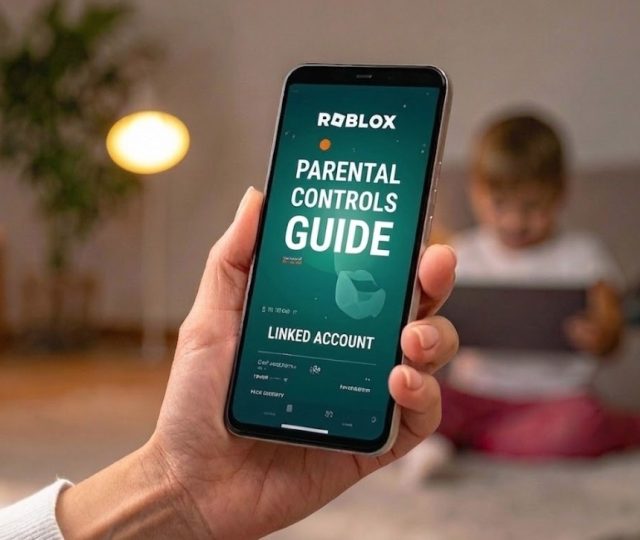
Roblox Parental Control Guide: Your One Action Item for Today
Don’t just read this article and close the tab. Take 5 minutes right now to secure your child’s digital life:
- Grab your phone and open the Roblox app (or download it).
- Create your own account if you haven’t already.
- Go to Settings > Parental Controls on your child’s device.
- Click “Add Parent” and link your new account.
Once this is done, you never have to ask for their device password again, you are in the driver’s seat.
If you want to steer your child toward high-quality titles whilst staying safe rather than mind-numbing obstacle courses, check out our list of 10 Roblox games that are so good you’ll forget they’re Roblox.